
NOTE: If your health service uses Single Sign-on (SSO) to log in to iCOPE, these instructions do not apply to you. If you have issues with login or passwords, please contact your IT department.
Log in:
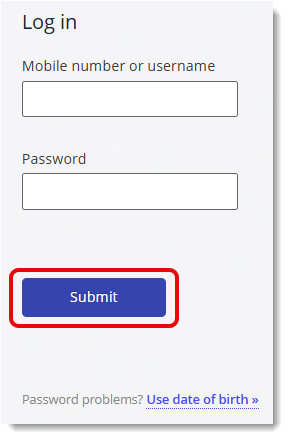
To log in to iCOPE 2.0 as a health service staff member:
- Navigate to your health service's iCOPE 2.0 site.
- Enter your username (NOT your mobile number), in the Mobile number or username field. Patients will use a mobile number to log in, and health services staff use their username.
- Enter your password and click Submit.
Forgotten your password?
If you have forgotten your password:
- Click on the blue Use date of birth text.
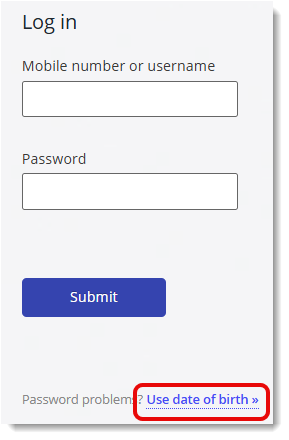
- Do not enter any details in this next screen – this is for patients to log in using their DOB and mobile number. Instead, click on the blue Reset your password text.
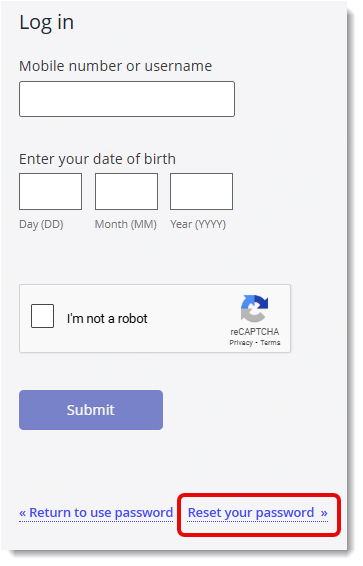
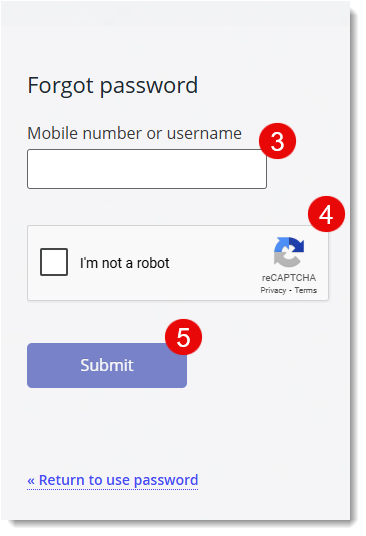
- Enter your username (NOT your mobile number).
- Tick the Captcha checkbox and complete the Captcha.
- Click Submit. Note: do not click Submit more than once. When you see green text appear, password reset instructions have been sent to you.
- You will receive an email with a link to reset your password, which expires in one hour. Click on the link to navigate back to iCOPE 2.0.
- Click the Send SMS code button.
- Enter the code you receive via SMS, and you will be directed to change your password. Your password requirements are set by iCOPE 2.0 according to your organisation's instructions, and will show underneath the new password field.
© Centre of Perinatal Excellence